


Public Storage
3.46.18K Reviews
App Specs
- Version
- 2.29.0
- Updated On
- License
- Free
- Downloads
- 1,000,000+
- Developer
- Public Storage Apps
- Categories
- Business
- Platform
- Android, iOS
Screenshots

 Analysis by AppCompare
When storage is only an occasional need, the hard part is often not finding a place for a box; it is keeping the practical details straight afterward. I find Public Storage most useful when I want one place to handle the search and the ongoing tasks around a rented unit, rather than juggling scattered notes and reminders. It is a free business app from Public Storage Apps, and its focus is the company’s storage service, not general-purpose home inventory.
Start with the task you actually need to do
Before setting it up, I’d decide whether I’m looking for a facility, managing a rental, or simply trying to remember what I put away. Those are different jobs, and the app is most compelling when storage is an active, continuing need. If I only need a list of nearby places for a one-time comparison, a map or search engine may be enough; if I have a unit to manage, having the account and payment-related tasks together is more useful.
The difference matters because a storage app cannot decide whether a unit is right for your belongings. I would first estimate what needs to fit, how often I’ll visit, and how far I’m willing to travel. Then I’d use the app to compare nearby options and check the facility details before reserving. That order helps avoid choosing a location solely because it appears first or looks convenient on a map.
Where people can get stuck
The most likely friction is the transition from browsing to handling an actual rental. Search results are only a starting point: I’d confirm that the facility and unit suit my timing and needs before making a commitment. A map can make distance look simple, but the practical trip may depend on traffic, the route, and whether the facility’s hours fit my schedule.
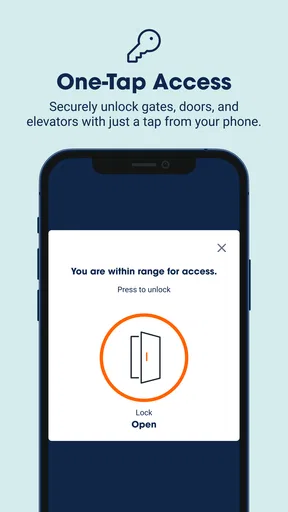
It’s also worth keeping expectations realistic about what the app can do for access. Digital access may be convenient where available, but I would not assume every facility works in exactly the same way or that a phone replaces every instruction provided for a visit. Before heading over, I’d check the facility information and any account guidance, and keep essential access details available rather than relying on memory.
The app is a better fit for a customer comfortable handling routine tasks on a phone. If you prefer paper bills, in-person help, or a storage arrangement outside Public Storage, the app may not make those parts easier. Its value comes from managing this provider’s storage experience, not from acting as a neutral directory for every storage company.
Getting Started: First Impressions
When I first downloaded the Public Storage app, I was relieved to find that it didn’t require a degree in rocket science to navigate. The design is clean, intuitive, and it gets right to the point. No frills, no fuss—just what you need when you’re overwhelmed by boxes and old furniture.
Worth Reading Before You Choose

EA SPORTS FC Mobile 26 Is a Bigger Football Game, but It Takes Time

Flipboard Shows What News Apps Must Do Beyond the Feed

Switching to Android Auto Means Rethinking Your Driving Routine

Google Calendar Makes a Crowded Week Easier to Manage

Ludo King Makes the Most of the Minutes Between Plans

Baby Panda World Brings Quick Play to Modern Phones, but Its Game Library Feels Busy
Setting up an account was a breeze. All I needed was my email, a password, and a few personal details. Boom, I was in! The app also offers a quick tutorial, which I found super helpful to get me started on the right track.
Finding the Perfect Spot
Once you're logged in, the app's main feature is helping you find the perfect storage location. The Find Storage feature is like having a personal assistant in your pocket. You just punch in your zip code, and voilà! A list of nearby storage units pops up. The app even includes a map view, so you can see exactly where each location is.
What I really appreciated was the detailed information about each facility. You get a rundown of the available unit sizes, prices, and even the security features in place. Plus, the app lets you reserve a unit right then and there, which was a game-changer for me.
Use the search results as a shortlist, not a decision
For a move, I’d use the search and map together to narrow down locations, then compare the unit details and facility information before reserving. That can save a second trip: I can think through the size I need and the location I can realistically visit, instead of treating the nearest result as automatically best. If I’m storing items I’ll need regularly, travel convenience may matter more than a small difference in distance on the screen.
One useful habit is to make a quick list of what will go into storage before choosing a unit. Grouping bulky furniture, boxes, and items I’ll need soon gives me a clearer basis for comparing available sizes. I would still leave room for uncertainty rather than assuming every item will stack neatly. The app can help with the facility search, but a little planning on my side makes the choice more informed.
Managing Your Storage
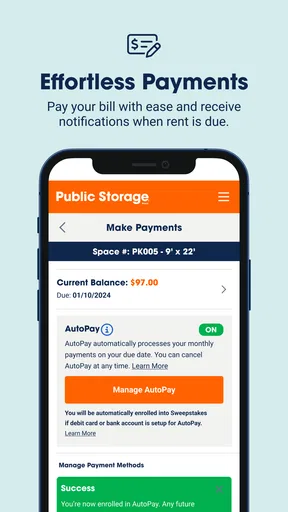
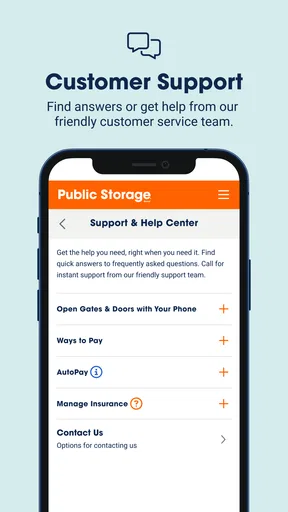
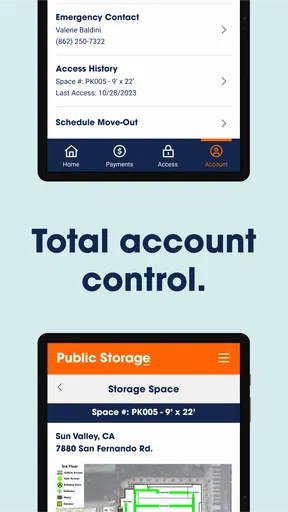
Once you’ve reserved your unit, managing your storage becomes a breeze. The app allows you to pay your bills directly from your phone, so no more worrying about misplaced invoices. It also sends you reminders when payments are due, which is a lifesaver if you’re as forgetful as I am.
There’s also a nifty feature that lets you keep an inventory of what you’ve stored. Just jot down what you’ve packed away, and the app keeps track for you. It’s a small feature, but incredibly useful when you need to remember where you stashed Grandma’s vintage lamp.
Make the inventory useful on a rushed visit
I’d make the inventory more helpful by recording not only an item’s name but also the box or section where I placed it. A note such as “winter coats, front-left box” is easier to act on than a broad entry like “clothes.” If I know I’ll need something for a particular season, I’d label it clearly in the list and pack it where I can reach it without shifting everything else.
For example, imagine putting away holiday decorations and a spare chair during a weekend clear-out, then realizing a week later that the chair is needed for a visitor. A quick inventory check can tell me whether it’s worth going to the unit and what to look for once I’m there. That is a more realistic benefit than expecting an inventory to organize the storage space by itself: the notes are only as good as the detail I add while packing.
For recurring payments, I’d treat a phone reminder as a useful prompt, not as a reason to stop checking the account. If a payment does not appear to have gone through, I’d review the account and payment status before trying again, so I don’t create confusion by repeating an action. Keeping a separate record of the rental details can also help when I need to contact the facility or check a charge.
Security and Accessibility
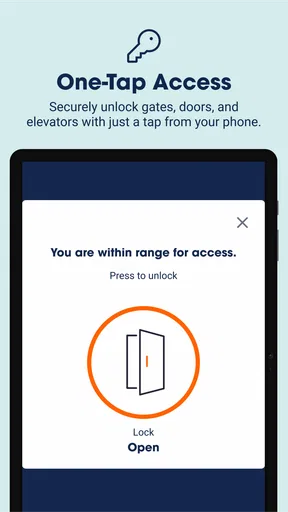
One of the major draws for me was knowing my stuff is secure. The app provides information about each facility's security measures, like 24-hour surveillance and access codes. Plus, you can use the app to access your unit, so no more fumbling with keys or codes—it’s all digital!
Accessibility is another big win. The app offers detailed hours for each facility, so you always know when you can pop in to grab that winter coat or stash away summer gear. It's all about convenience, and honestly, it delivers.
Check the facility details before you leave
I’d check the listed hours and the access instructions before making a trip, especially if I’m going after work or collecting something I need that day. Having a phone-based access option is convenient, but it does not remove the need to understand how entry works at the specific location. If I’m visiting with someone else, I’d also make sure we agree on who is handling the account and access, rather than assuming both people have the same ability to manage the unit.
When something seems wrong, I’d first separate an app problem from a storage or account issue. If the app is slow or a screen does not load, I’d check that the phone has a working connection, close and reopen the app, and try again. If the issue concerns a payment, facility hours, or access, I’d verify the relevant account or facility information instead of assuming reinstalling the app will fix it. For a time-sensitive visit, having the facility’s details available before setting out is a sensible backup.
Who will get the most from it?
I can see this being handy for someone moving between homes, clearing space for a renovation, or keeping seasonal belongings outside a crowded apartment. It suits people who rent a Public Storage unit and want to manage practical tasks from their phone. It is less useful for someone who needs shared household inventory across several providers, or who wants one app to compare and manage competing storage companies. In those cases, a spreadsheet or general notes app may be a better neutral record, while the storage provider’s own app remains relevant for its account-specific tasks.
The current version is 2.24.0, and the app is listed for Android 7.0 and later. It has a 3.5 average from around 43,000 ratings, with more than one million installs. Those figures suggest that many people use it, but they don’t tell me whether it will suit a particular storage arrangement; the practical question is whether you need its Public Storage-focused tools. It is rated for Everyone, and its free price makes trying it a low-cost way to see whether the workflow fits, though storage itself is a separate commitment.
Wrapping It Up
Overall, the Public Storage app is a solid tool for anyone needing a little extra space. It’s user-friendly, packed with useful features, and makes the whole storage ordeal a bit more manageable. Whether you're downsizing, moving, or just need to declutter, this app has got your back.
If you're feeling overwhelmed by all the stuff taking over your home, give this app a shot. It might just be the solution you’ve been looking for. Trust me, your future self will thank you!
My practical verdict is that I’d use it when I already know I’m considering a Public Storage unit and want the search, account tasks, and visit planning in one place. I would not choose it as a substitute for comparing providers independently, nor would I rely on an inventory I haven’t kept current. If those limits are clear, the app can make a storage rental easier to keep track of without pretending that the phone itself solves the harder decisions about what to store, where to put it, or how often to visit.
Pros
- User-friendly interface and navigation.
- Secure access to unit and account details.
- Convenient autopay options available.
- Real-time inventory and notifications.
- Multiple language support for wider access.
Cons
- Limited offline functionality.
- Occasional syncing delays.
- No dark mode for night use.
- In-app ads can be distracting.
- Requires stable internet connection.
FAQs for Public Storage
What is Public Storage and how does it work?
Public Storage is an app designed to help users manage their storage units conveniently. It allows you to search for nearby storage facilities, reserve units, and make payments directly through the app. Users can also access their account details and receive notifications about their storage units.
Is the Public Storage app free to use?
Yes, the Public Storage app is free to download and use. However, keep in mind that while the app itself doesn’t charge fees, renting a storage unit through the app will incur costs based on the size and location of the unit you choose.
What features does the Public Storage app offer?
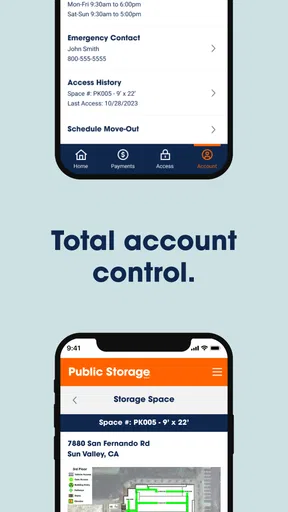
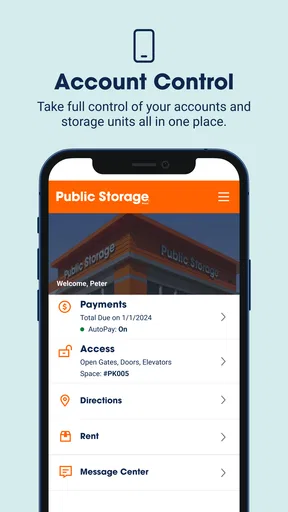
The app offers a range of features including the ability to find and reserve storage units, manage existing reservations, make payments, and receive alerts. Users can also view their rental history and account details, making it easy to manage storage needs on the go.
Is my personal information secure with the Public Storage app?
Yes, Public Storage takes user privacy and security seriously. The app uses encryption and other security measures to protect your personal and payment information. Always ensure you download the app from official sources to avoid security risks.
Can I manage multiple storage units with the app?
Absolutely, the Public Storage app is designed to manage multiple storage units with ease. You can view, pay for, and receive notifications for each unit separately, making it efficient for users with more than one storage space.


